
On this page
We weigh customer support tools against the same seven published criteria: setup effort, the core customer service workflow, automation and AI, integrations, reporting and analytics, pricing and value, and the vendor's own help and documentation. The ranking below is editorial: it follows that methodology, and paid partnerships are labeled and kept separate.
At a glance
A quick side-by-side of every tool in the ranking. Each price comes from the vendor's own pricing page, checked October 29, 2026.
| # | Tool | Best for | Category | Pricing |
|---|---|---|---|---|
| 1 |  Freshchat | Best free plan for growing teams | Live Chat Software | Free for up to 10 agents; paid from $19 per agent/month, billed annually |
| 2 |  Zendesk | Best for scaling enterprises | Help Desk Software | Support (email) from $19, Suite from $55 per agent/month, billed annually |
| 3 |  Intercom | Best for AI customer service | AI Customer Service Agents | From $29 per seat/month; new customers save 35% ($19 per seat/month, billed annually), plus $0.99 per Fin outcome |
| 4 |  HubSpot Service Hub | Best for CRM-native customer service | Help Desk Software | Free for 2 users; Starter from $20 per seat/month |
| 5 |  Help Scout | Best overall for small teams | Shared Inbox | Free for up to 5 users; paid from $25 per user/month, billed annually ($30 billed monthly) |
| 6 |  LiveChat | Best pure live chat | Live Chat Software | From $19 per user/month, billed annually |
| 7 | Freshdesk | Best value help desk | Help Desk Software | From $19 per agent/month, billed annually |
| 8 |  Tawk.to | Best free live chat | Live Chat Software | Free; add-ons from $29/month |
| 9 |  Tidio | Best for small e-commerce | Live Chat Software | Free plan; paid from $24.17/month for 100 conversations, billed annually |
| 10 |  Front | Best shared inbox for collaboration | Shared Inbox | From $25 per seat/month, billed annually |
The sponsor of this page
Featured Partner
Live chat, ticketing and knowledge base platform with optional AI add-ons.
Owned by Michael Kansky, who also owns this site.It sits apart from the ranking below and does not change the order of our picks.
The 10 best customer support tools
Ranked against the criteria below. Verdicts, pros and cons, and prices are researched from each vendor's documentation and pricing pages.
-
1. Freshchat
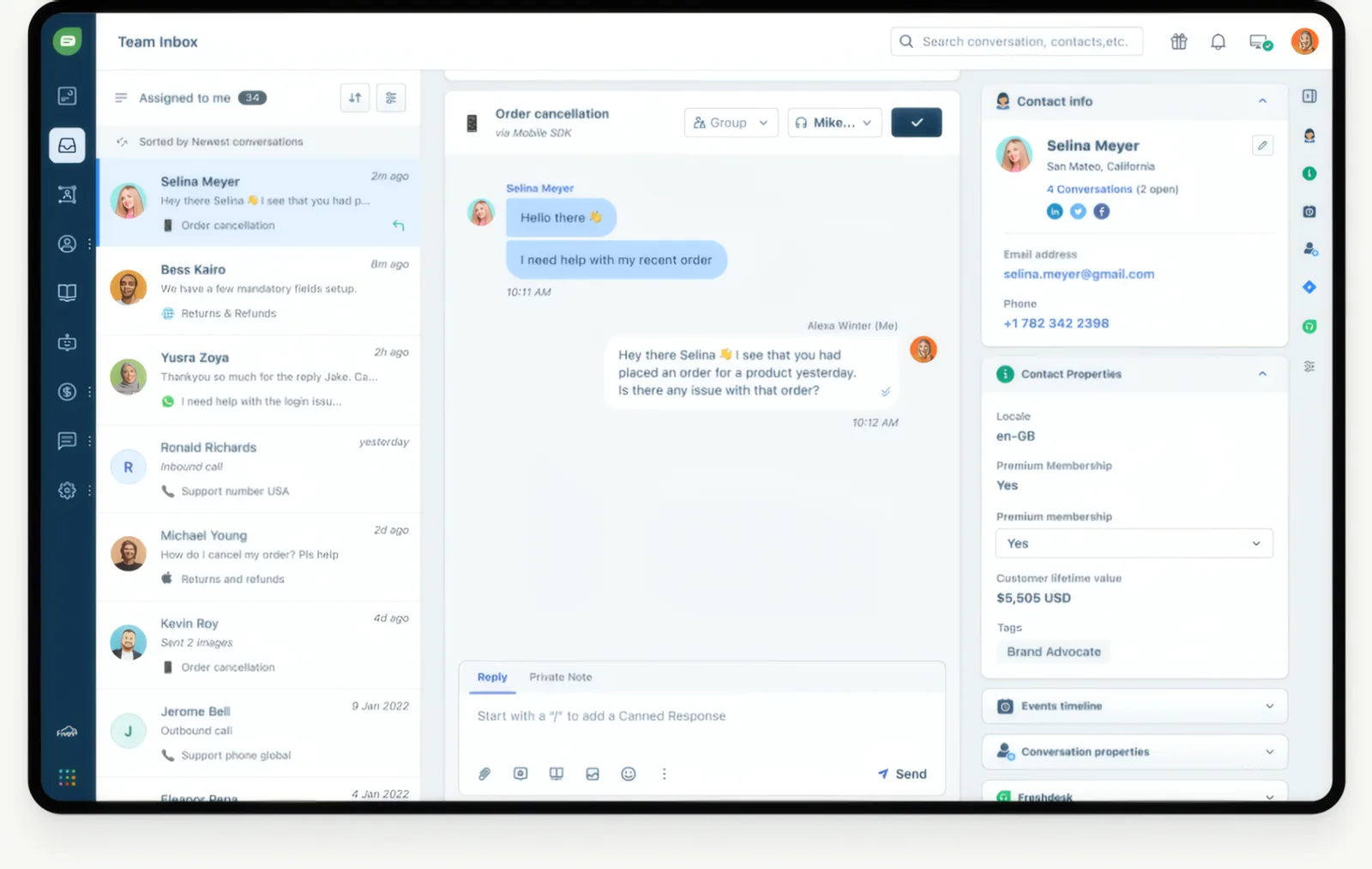
Best free plan for growing teamsTrade-off After the 500 free sessions the AI agent costs $49 per 100 sessions, and the Copilot assistant is a separate charge on Pro and above only.
Messaging and live chat from Freshworks, with a free plan for up to 10 agents. Its free plan covers up to 10 agents with a web and app chat widget, shared inbox and email, and the Growth plan adds social messengers and text messaging, including WhatsApp and SMS, for $19 per agent. The Freddy AI agent comes with 500 free sessions. It suits growing teams that want messaging channels on a free or low-cost start, especially Freshdesk users.
Pros
- Free plan for up to 10 agents
- WhatsApp, SMS and social messengers from $19 per agent
- 500 free AI agent sessions to start
- Day passes for occasional agents from $2
Cons
- Free plan has no social or WhatsApp channels and no AI
- AI agent costs $49 per 100 sessions after the free 500
- Copilot costs $29 per agent and needs Pro or higher
- An expired trial is suspended rather than moved to the free plan
Best for Growing teams that want messaging channels on a free or low-cost start.
-
2. Zendesk
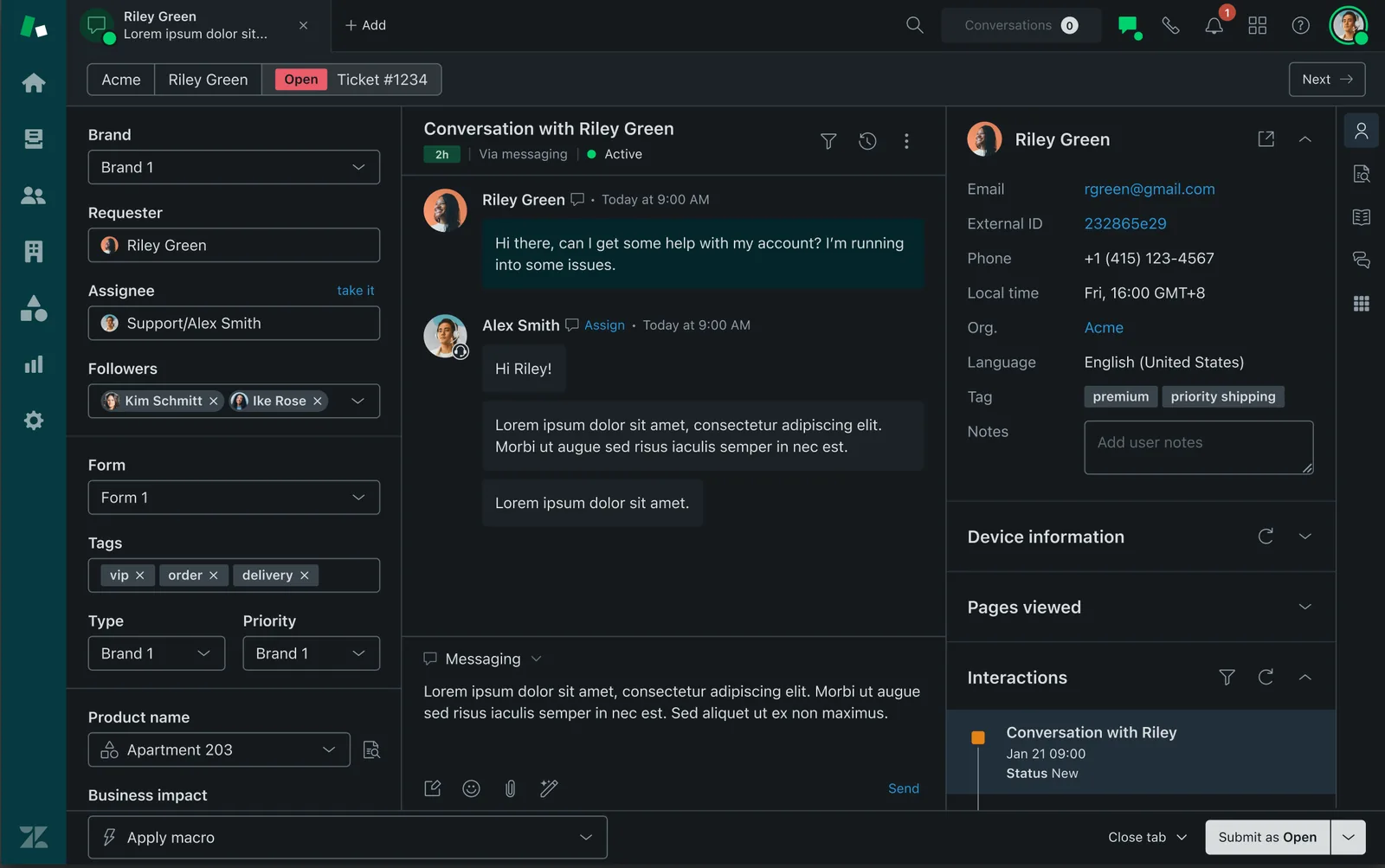
Best for scaling enterprisesTrade-off The features most larger teams need, such as SLAs and skills-based routing, start on Suite Professional at $115 per agent, and the full Copilot AI assistant adds $50 per agent on top.
Omnichannel ticketing and customer service suite built to scale across large teams. Its Suite plans cover email, messaging, live chat, social channels, voice and a help center in one product, and every plan includes AI agent resolutions billed only when the AI fully resolves a request. Suite Professional adds SLAs, skills-based routing and up to 5 help centers in 40+ languages. It suits larger customer service teams that need many channels and detailed routing.
Pros
- Email, messaging, social, voice and help center in one Suite
- AI agent resolutions included on every plan
- 14-day trial of Suite Professional with no credit card
- Monthly, annual or multi-year contract options
Cons
- No free plan
- SLAs and skills-based routing need Suite Professional ($115 per agent)
- Full Copilot is a $50 per agent add-on
- Extra AI resolutions cost $1.50 to $2.00 each
Best for Larger customer service teams standardizing across many channels and agents.
-
3. Intercom
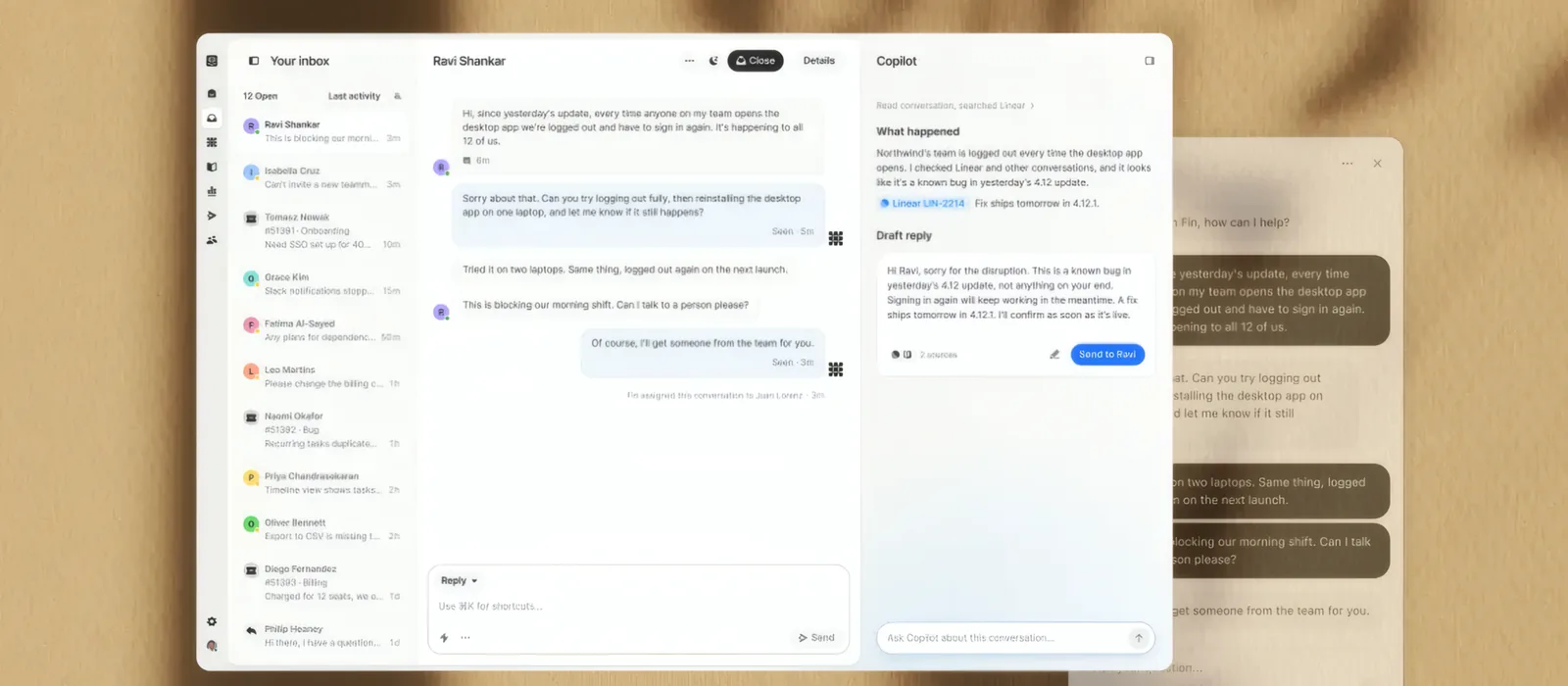
Best for AI customer serviceTrade-off Seats, per-outcome Fin fees and usage-billed channels such as WhatsApp and SMS all add up, so the monthly bill is harder to predict than with a flat per-seat help desk.
AI-first customer service platform pairing live chat with the Fin resolution agent. Its Fin AI agent answers across chat, email and phone, can take actions in other systems, and hands off to a person when needed. Live chat, email and in-app messages are unlimited on every plan. It suits software and online businesses with high chat volume that want AI to resolve most conversations first.
Pros
- Fin AI agent on every plan, from $0.99 per outcome
- Live chat, email and in-app messages unlimited on all plans
- No platform fee and a 1-seat minimum
- 14-day trial with all features and no credit card
Cons
- No free plan
- Workflows, multiple team inboxes and round-robin assignment need Advanced
- SLAs, SSO and a signed HIPAA BAA need Expert
- WhatsApp, SMS and phone are billed by usage
Best for Product-led teams that want live chat and an AI agent in one place.
-
4. HubSpot Service Hub
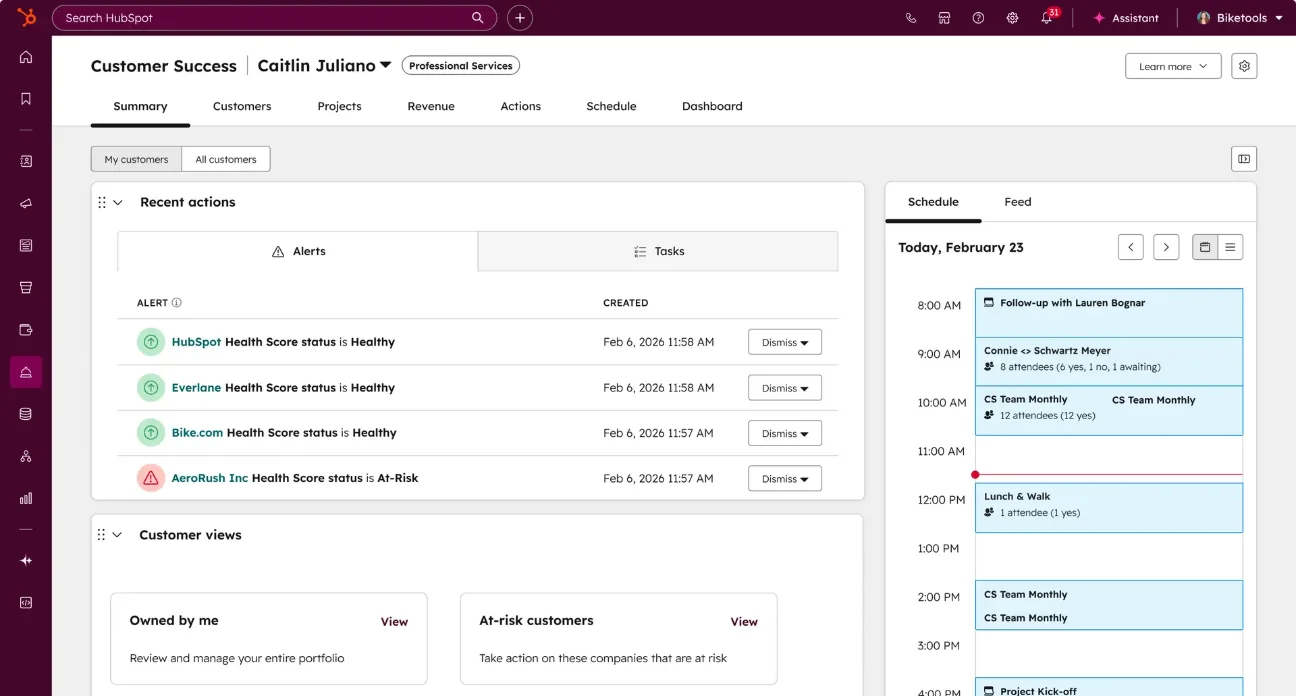
Best for CRM-native customer serviceTrade-off Professional and Enterprise carry one-time onboarding fees of $1,500 and $3,500.
Service tools tied natively into HubSpot's CRM, knowledge base, and reporting. Its live chat sits on the same CRM record as your sales and marketing data, so agents see each visitor's history, and the free plan covers 2 users. It suits companies already on HubSpot CRM.
Pros
- Native CRM record shared with sales and marketing
- Free plan for 2 users and free view-only seats
- Over 2,000 integrations
- Monthly AI credits included on paid plans
Cons
- Professional and Enterprise require one-time onboarding fees of $1,500 and $3,500
- Starter is limited to 1 knowledge base and 5 playbooks
- AI agent use is metered in credits that expire each month
- Enterprise costs $150 per seat per month
Best for Companies already on HubSpot CRM.
-
5. Help Scout
Best overall for small teamsTrade-off User caps on Standard (25) and Plus (50) and a 10-user minimum on Pro mean fast-growing teams can outgrow a tier quickly.
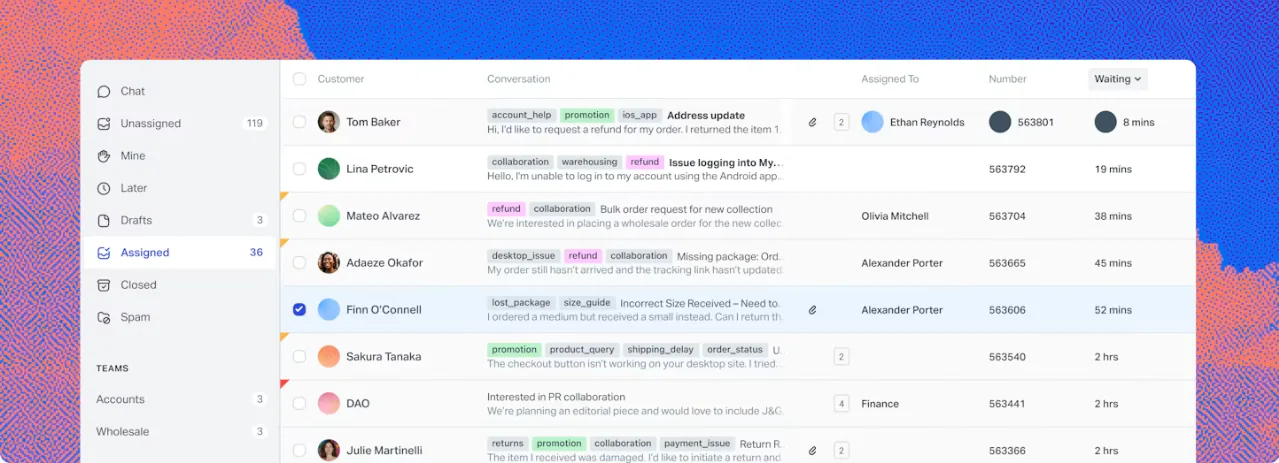
Shared inbox and help desk designed around a lightweight, human customer service experience. It combines a shared inbox, live chat, SMS, WhatsApp and Messenger with a Docs knowledge base, has a free plan for up to 5 users, and charges for AI only when it resolves a conversation. It is our top overall pick for small and mid-size teams that want their main customer channels in one simple tool.
Pros
- Free plan for up to 5 users with no payment method
- Standard includes live chat, SMS, WhatsApp, Instagram and Messenger
- AI Answers costs $0.75 per resolution, with a monthly spending cap
- Knowledge base included on every plan
Cons
- Advanced workflows and round-robin routing need Plus
- Pro has a 10-user minimum, about $750 a month billed annually
- SSO and HIPAA need Pro or a paid add-on
- Extra inboxes cost $10 a month and extra Docs sites $20 a month, billed annually
Best for Small and mid-size teams that want a human, low-overhead help desk.
-
6. LiveChat
Best pure live chatTrade-off AI use is tightly capped on the entry plan, with 10 AI resolutions a month, and the Essential plan keeps only 60 days of chat history.
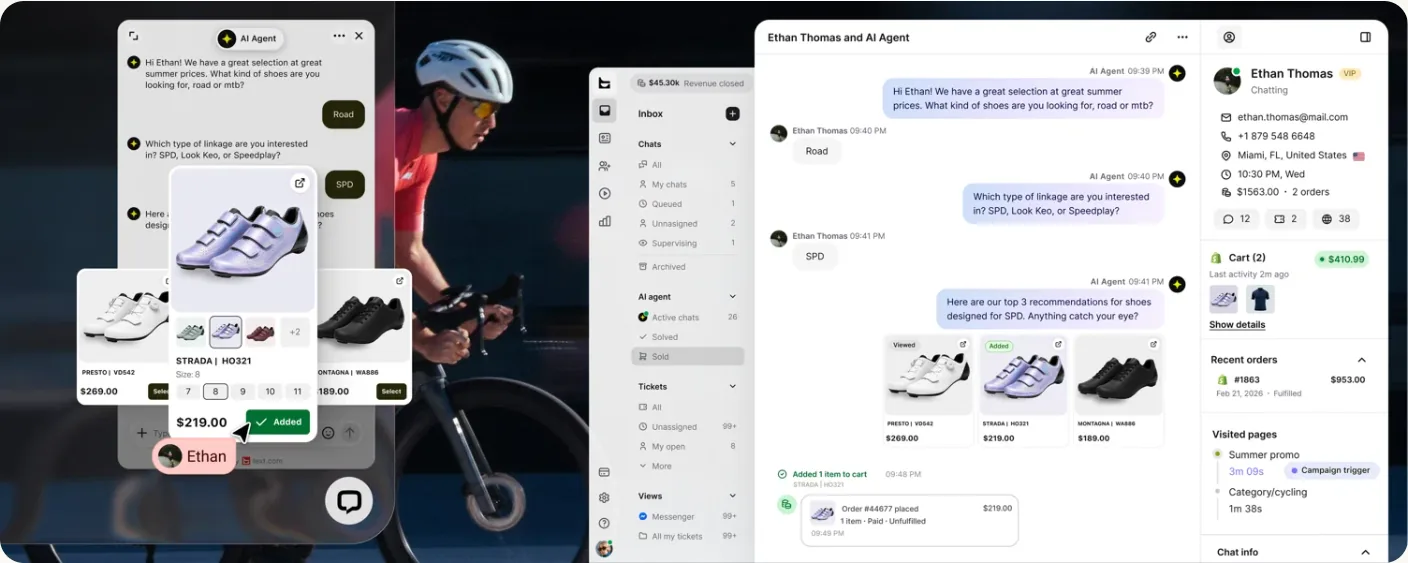
Dedicated live chat platform with a mature, fast agent workspace. New customers now sign up for its Text plans, which cover website, in-app, Messenger and SMS chat with an AI agent included. The workspace is built for agents who handle many chats at once, with 24/7 vendor support and over 200 integrations. It suits sales and customer service teams for whom chat is the main channel.
Pros
- Website, in-app, Messenger and SMS chat (SMS through Twilio)
- Over 200 integrations, including Shopify, WooCommerce and WordPress
- 24/7 vendor support
- 14-day trial with no credit card
Cons
- No free plan
- Essential keeps 60 days of history and includes 10 AI resolutions a month
- Extra AI resolutions cost $49.50 per 50
- SSO, audit logs and a white-label widget need Enterprise
Best for Sites that want a mature, dedicated chat workspace.
-
7. Freshdesk
Best value help deskTrade-off There is no free plan, and routing, multiple SLA policies and the Copilot AI assistant need the Pro plan or higher.
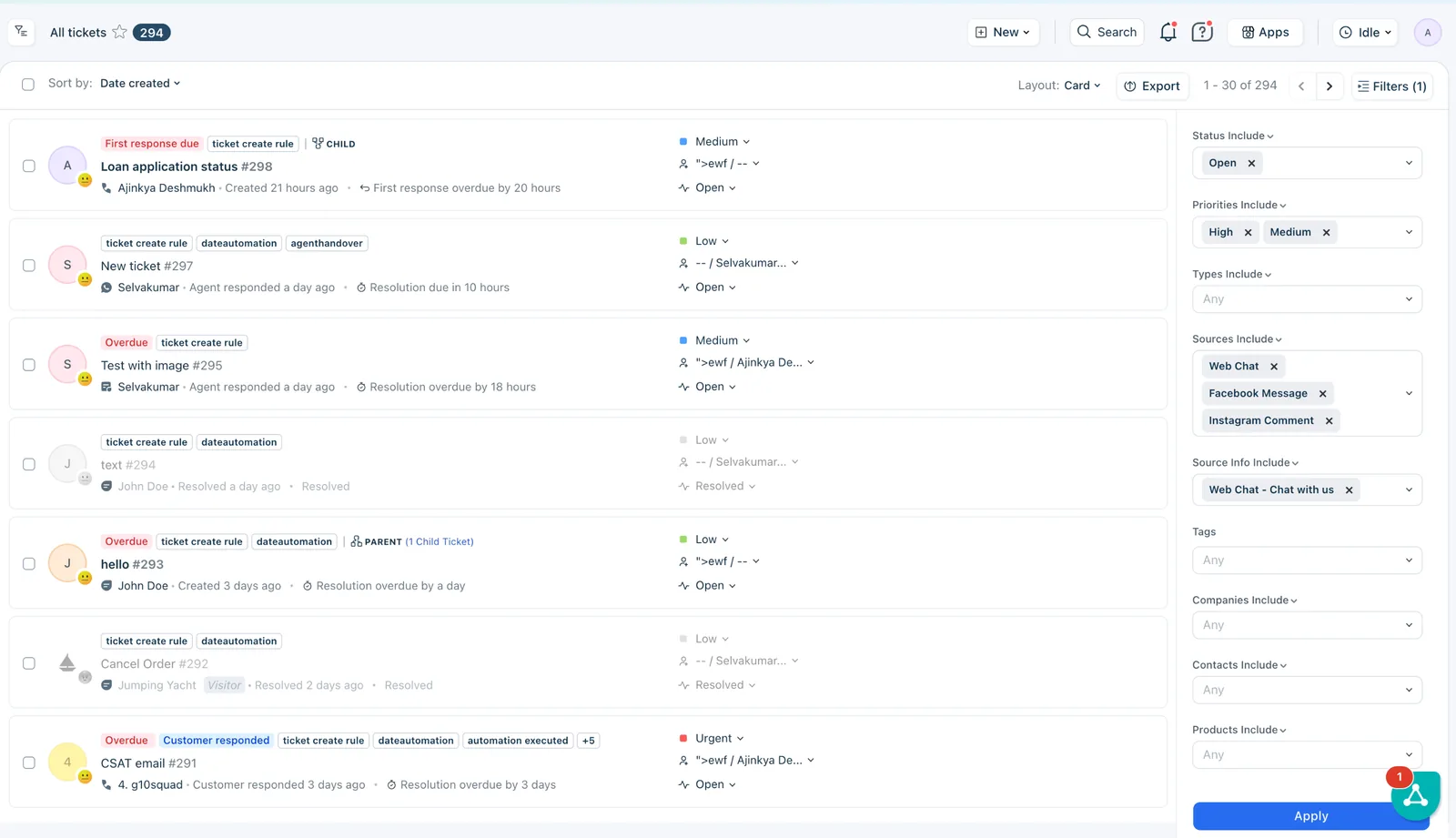
Help desk with automation, SLAs, and an AI agent included on every plan. Its Growth plan covers ticketing, a shared inbox, a customer portal and a knowledge base, and every plan includes the Freddy AI agent with 500 free sessions per account. Day passes from $2 cover seasonal agents without full seats. It suits teams of 5 to 50 agents that want a full help desk at a mid-range price.
Pros
- Every plan includes the Freddy AI Agent, with the first 500 sessions free
- Growth plan covers ticketing, shared inbox, portal and knowledge base
- Day passes for seasonal or occasional agents, from $2
- No cancellation fees, and upgrades apply immediately
Cons
- No free plan, only a 14-day trial
- Intelligent routing and multiple SLAs start on Pro ($55 per agent)
- Copilot costs an extra $29 per agent and is not available on Growth
- Extra AI agent sessions cost $49 per 100
Best for Teams that need real ticketing without an enterprise budget.
-
8. Tawk.to
Best free live chatTrade-off The free widget shows tawk.to branding, and removing it costs $29 a month for each website.
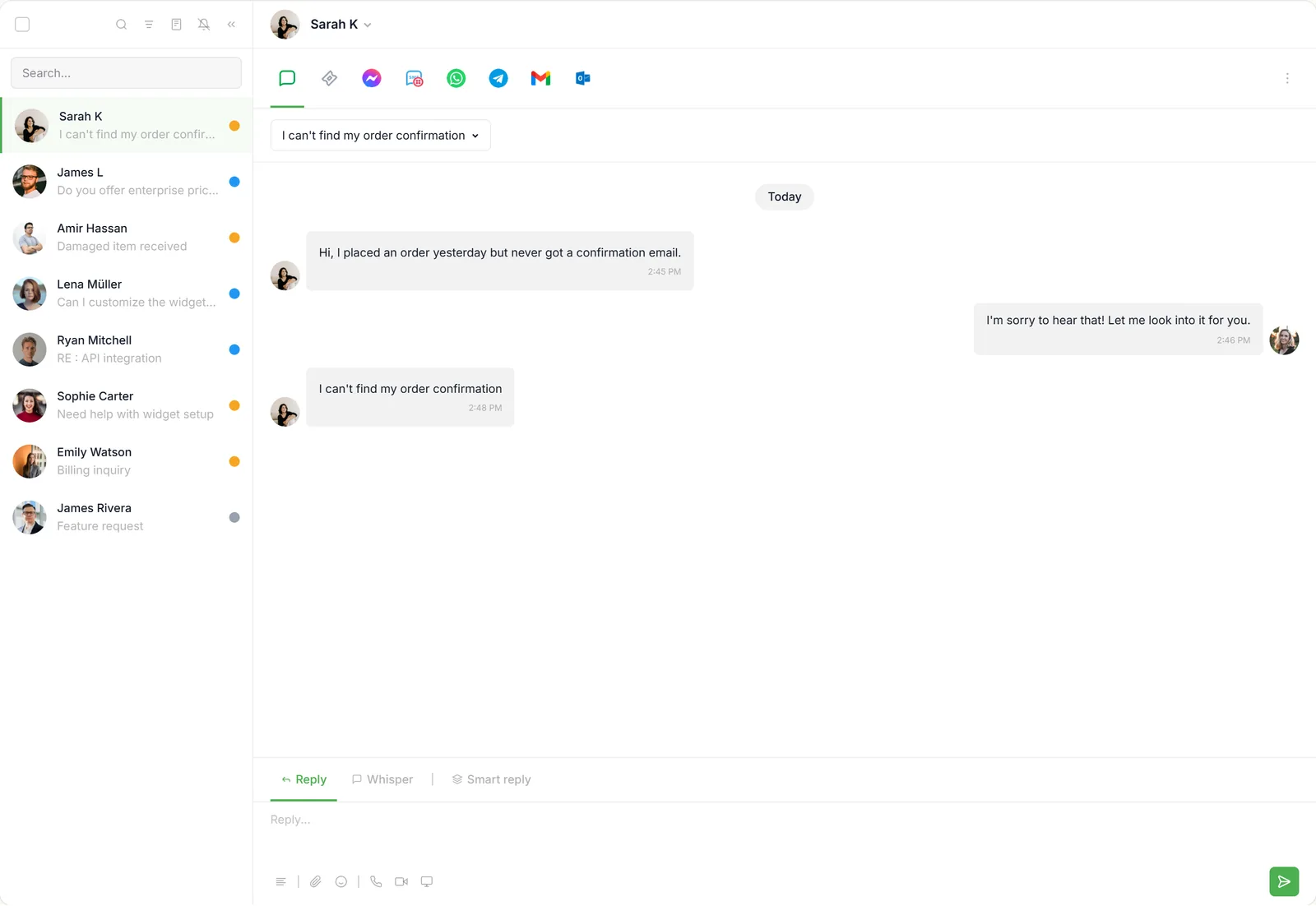
Free live chat, ticketing, and knowledge base, funded by optional paid add-ons. Its chat, ticketing, knowledge base and CRM are free with unlimited agents and chats, and it charges only for optional add-ons. Paid extras are priced per website, not per seat. It suits small businesses and nonprofits that need live chat at no cost.
Pros
- Free chat, ticketing, knowledge base and CRM with unlimited agents
- Branding removal is priced per website, not per seat
- AI Assist from $29 a month, with a free tier for low volume
- One agent login can cover several websites
Cons
- Removing branding costs $29 a month per website
- The free AI tier's limit is not published
- Voice agents (from $49 a month plus usage) and data enrichment (from $59) cost extra and are open by waitlist only
- Phone and SMS are labeled as a beta coming soon
Best for Small businesses and nonprofits that need live chat at no cost.
-
9. Tidio
Best for small e-commerceTrade-off Because chat, Lyro and Flows are each billed by usage, the monthly cost grows in several places at once as traffic rises.
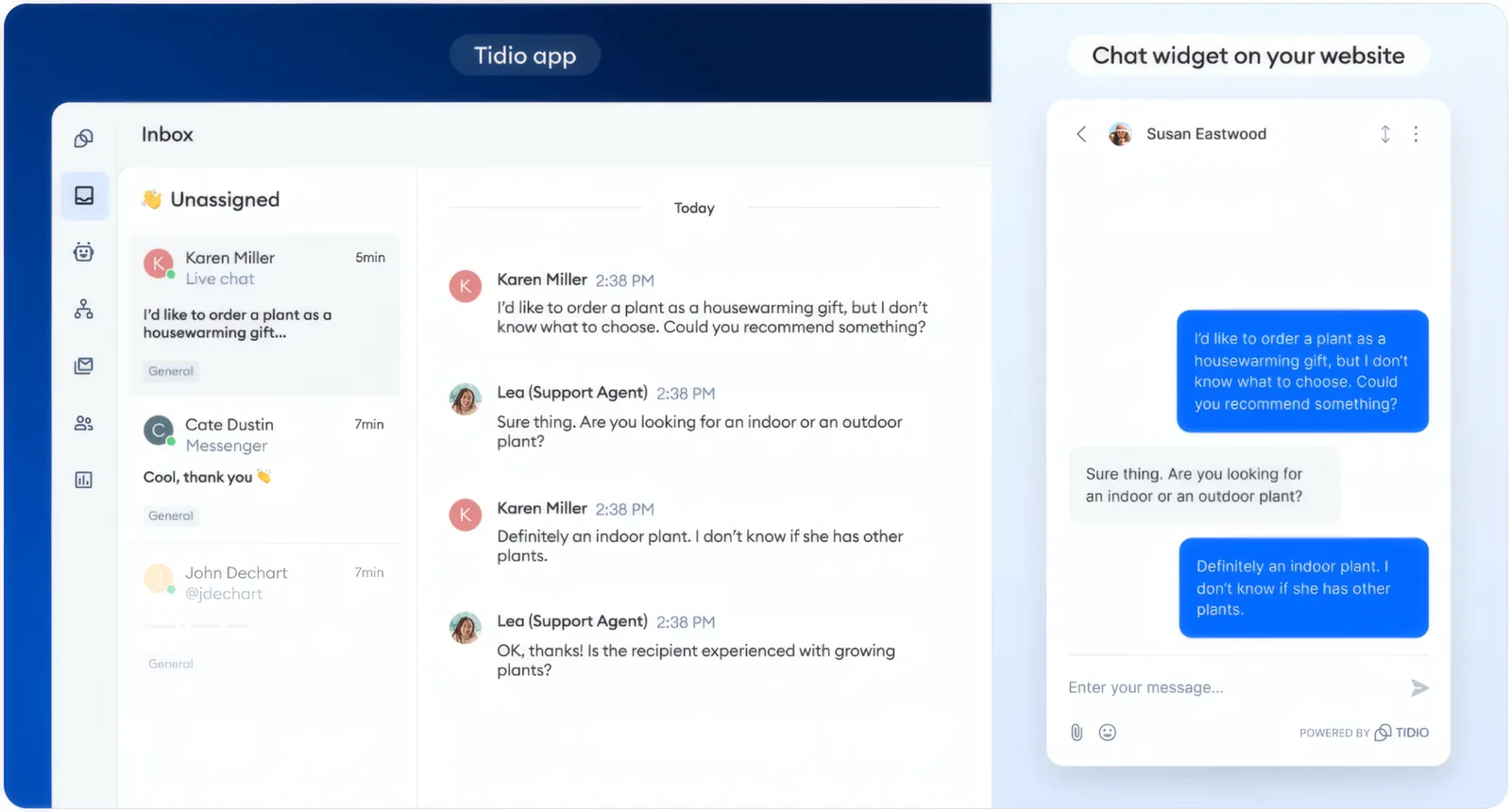
Live chat and chatbots with the Lyro AI assistant, aimed at online stores. It combines live chat, the Lyro AI agent and automated Flows, and prices each by usage instead of per seat. The free plan covers 50 billable conversations a month, and Messenger, Instagram, WhatsApp and email work alongside website chat. It suits small online stores that want to start free and add AI as volume grows.
Pros
- Free plan with 50 billable conversations a month and up to 10 seats
- Messenger, Instagram, WhatsApp and email alongside website chat
- Lyro AI agent replies do not count toward chat limits
- 7-day trial of paid plans and add-ons
Cons
- Starter includes only 100 billable conversations a month
- Lyro AI is a separate add-on, from $32.50 a month
- Removing Tidio branding is a $16.67 a month add-on on Growth, and not offered below it
- Self-serve plans are capped at 10 seats
Best for Small online stores adding live chat and a first AI assistant.
-
10. Front
Best shared inbox for collaborationTrade-off Starter covers only one channel type and 10 automation rules, so most teams need Professional at $65 per seat.
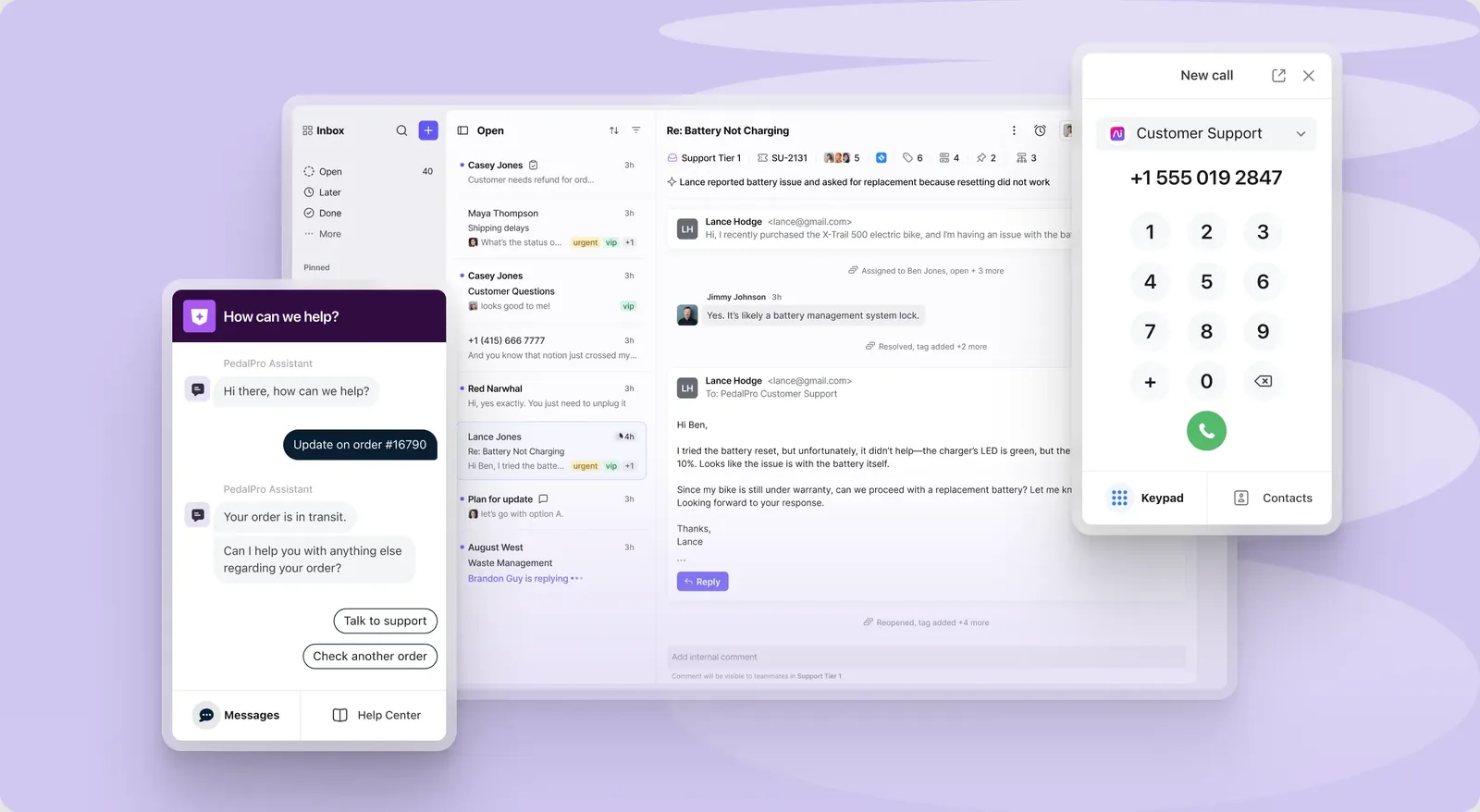
Collaborative inbox blending email, chat, and shared team workflows. It turns shared addresses into a team inbox with assignments, internal comments and rules, while keeping the feel of a regular email client. Starter covers one channel type, such as email, chat or SMS. Professional adds more channel types, including social channels, plus SSO and SCIM. Native WhatsApp is a paid add-on. It suits B2B teams where account managers and the service team share customer conversations.
Pros
- Shared inbox and ticketing on every plan
- SSO and SCIM from Professional up
- AI Copilot add-on for $20 per seat, included on Enterprise
- 14-day trial with Professional features and no credit card
Cons
- No free plan
- Starter is limited to one channel type, 10 seats and 10 rules
- Professional is capped at 50 seats
- Enterprise costs $105 per seat per month, billed annually
Best for Teams that work customer email together, thread by thread.
Is your product missing or out of date? Request a listing
How do we pick customer support software?
Every tool is scored in its own categories against the same seven criteria, each a set of checks answered from the vendor's own public pages. This Top 10 takes every tool once, at its best category score, highest first. Vendors and ad spend have no say, and a sponsor is shown apart from the ranking.
- Core customer service workflowAssignment rules, SLAs, saved replies, collision detection and a customer portal, and the cheapest plan that has each one.
- Automation and AIRules and workflows, an AI agent that answers from your own help content, a handoff to a person with the history, and AI that acts in your systems.
- Pricing and valuePublic prices, a free plan, a published AI price, monthly billing, and the monthly bill for a team of five, worked out with our calculator.
- IntegrationsThe size of the vendor's own app directory, a documented API and webhooks, and native CRM, Slack and Zapier connections.
- Setup effortStarting alone without a sales call, a trial with no card, a setup guide, and a way to move in from another tool.
- Reporting and analyticsResponse and resolution time reports, satisfaction surveys, custom dashboards and data export.
- Vendor help and documentationLive chat or phone help from the vendor on the cheapest plan, 24/7 support, a public status page and onboarding help.
Where the facts come from and how tools are weighed: our How we rank page.
How to choose customer support software?
The right pick comes down to your channels, how much you need to automate, your existing integrations, and a live trial. Work through these four checks before you commit:
- Map your channels Decide where customers reach you (email, live chat, social or in-app) and shortlist tools that cover them.
- Weigh automation Estimate how much volume an AI agent or macros could deflect before you pay per seat.
- Check the integrations Confirm the tool connects to your store, CRM, and billing without custom work.
- Trial with real tickets Run a week of live conversations before committing to an annual plan.
How much does customer support software cost?
Most customer support software charges per agent per month, and paying annually saves about 15 to 35 percent. Entry plans in this Top 10 run from $7 per agent with Zoho Desk to $25 with Help Scout and Front, billed annually, while plans with routing rules and SLAs mostly cost $45 to $132 per agent. Help Scout and Zoho Desk have free plans for small teams, and Tidio's free plan covers 50 billable conversations a month. Two tools price differently: Gorgias charges by monthly ticket volume, and Tidio by billable conversations. AI agents usually cost extra per resolved conversation: $0.75 with Help Scout, $0.99 with Intercom, and $1.50 to $2.00 with Zendesk once its included allowance runs out. Enterprise AI platforms such as Ada quote prices through sales. Prices checked on each vendor's pricing page on October 29 and 30, 2026.
Where do I buy customer support software?
Each tool is bought directly from its vendor on a monthly or annual subscription. From any pick above, open the vendor's pricing page for current plans, then start a trial or request a demo.
Frequently asked questions
How do we rank these tools?
Every tool is weighed against the same seven criteria: setup, the core customer service workflow, automation and AI, integrations, reporting, pricing and value, and help from the vendor. Vendors cannot pay for a better position, and a sponsored vendor is never placed first. The one sponsor on this page, in the Featured Partner spot, is LiveHelpNow, owned by Michael Kansky, who also owns this site. It sits apart from the ranking and has no number. Full details are on our How we make money page.
Which type of customer support tool should we start with?
Start with the channel your customers already use. If most requests arrive by email, begin with a help desk or shared inbox; our help desk software and shared inbox guides compare the options. If shoppers ask questions while browsing, start with live chat. Add an AI agent once your help center answers the common repeat questions.
Is there a free customer support tool?
Yes. Help Scout's free plan covers 5 users, 1 inbox and 1 Docs site, with no payment method required. Zoho Desk is free for 3 users with email ticketing. Tidio's free plan covers 50 billable conversations a month and up to 10 seats. Free plans cap features such as saved replies, help articles and workflows.
Do I need an AI customer service agent?
Not always. An AI agent pays off when many questions repeat, such as order status, password resets or policy questions, and your help center already answers them. Start small: Freshdesk includes 500 AI agent sessions once per account, and Help Scout lets you set a monthly spending cap on AI Answers before volume grows.
What counts as a billable AI resolution?
It depends on the vendor. Help Scout charges only when a customer gets an AI answer and does not escalate or ask for more help. Intercom counts a Fin outcome when the customer confirms the fix, stops asking after Fin replies, or Fin completes a workflow, including handoffs. At Gorgias, each automated interaction also counts as a helpdesk ticket.
Which tool is best for a small customer service team?
Help Scout is our top pick for small teams. Its free plan covers 5 users, and Standard adds live chat, SMS, WhatsApp, Instagram and Messenger for up to 25 users. Zoho Desk is free for 3 users. Teams that mainly answer shared email together can look at Front, whose Starter plan covers up to 10 seats.
Which tool is best for ecommerce stores?
Gorgias is built for online stores, with Shopify, BigCommerce, Magento and WooCommerce integrations, and one account can serve several stores. It charges by monthly tickets, from 50 on Starter to 5,000 on Advanced, so busy seasons raise the bill. Smaller stores that mainly want website chat can start on Tidio, whose free plan includes Messenger, Instagram and WhatsApp.
Which tool suits a SaaS or software company?
Intercom fits software companies that support users inside their product. Every plan includes unlimited live chat, customer email and in-app chats, and its Fin AI agent can also run on top of an existing help desk such as Salesforce. Workflows and round-robin assignment need the Advanced plan, while SLAs, SSO and a signed HIPAA BAA need Expert.
Should we buy an all-in-one tool or separate tools?
An all-in-one tool keeps email, chat and a knowledge base in one place and on one bill. Help Scout, for example, includes a Docs knowledge base on every plan and live chat from Standard. Separate tools make sense when one channel dominates: LiveChat is built for chat-heavy teams, and Intercom's Fin can work alongside your current help desk.
Can we try customer support software before paying?
Yes. Zoho Desk offers a 15-day trial with no credit card and then moves you to its free plan, and Help Scout offers 15 days on Standard and Plus. Intercom, Front and LiveChat offer 14 days with no card, and Freshdesk's 14-day trial opens its Enterprise plan. Gorgias and Tidio offer 7 days. Ada starts with a sales demo.
How hard is it to switch from another tool?
Most switches mean moving tickets, contacts and help center articles, then rebuilding routing rules and integrations. Zoho Desk offers free help migrating from another help desk, and Help Scout publishes switching guides, including one for teams leaving Gmail. Freshdesk has no cancellation fees, but a cancellation takes effect only at the end of your current term.
References
Prices and plan limits come from each vendor's own pricing page and documentation, checked October 29 and 30, 2026.
Read next
 Help Desk Software
How to audit an AI support agent invoice against your own data
Check your AI support agent bill against your own help desk export, remove reopens within 7 days, and dispute billed units your data does not support.
 Help Desk Software
Shared inbox vs help desk: which does your team need?
Switch from a shared inbox to a help desk once routing, SLAs or reporting run on manual workarounds. Learn the signs, the real costs and what to test…
 Live Chat Software
The 3 pricing models behind customer support software
Learn how customer support software bills on seats, resolutions or usage tiers, where each model wins, and how your agent-to-ticket ratio sets the real…